WPBD is a series of physics-based engineering sims launched in 1998, with yearly releases beginning as early as 2003. Developed by Lt. Col. Stephen Ressler at the U.S. Military Academy West Point, it featured in a 2001–2016 design contest at middle and high schools. As a work of the U.S. government, it's in the public domain and archived on SourceForge (Edit: links broken after the TAS was published, now archived here).
About the run
- Builds fastest bridge possible in this game (see "What's in a game?" section below)
- Has 2-frame extended input to move the mouse away from the success message for encodes (Edit: now part of the publication)
- Contains speed/entertainment tradeoffs (naming bridge's designer)
I played WPBD 2005 in class. I was not close to winning the contest with my inefficient and costly bridge, but it was still fun, unlike most of school. I emailed myself the installer to have at home, and have moved it to each new PC I got over the years. Also, the bridges can collapse in some entertaining ways.
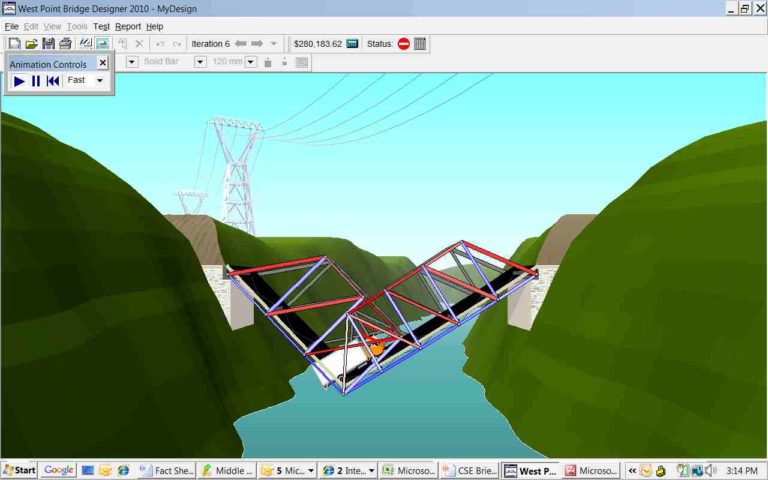
Only one installer in the archive works on Windows 3.x: v3.01's. The 2004 version is the last to work on W95, and 2007 is the last on vanilla W98 (KernelEx has not been tested for later releases). Compared to v3.01, later versions have updates like new graphics, detailed failure info, "undo history" for previous iterations, and custom bridge elevation. The gameplay remains the same.
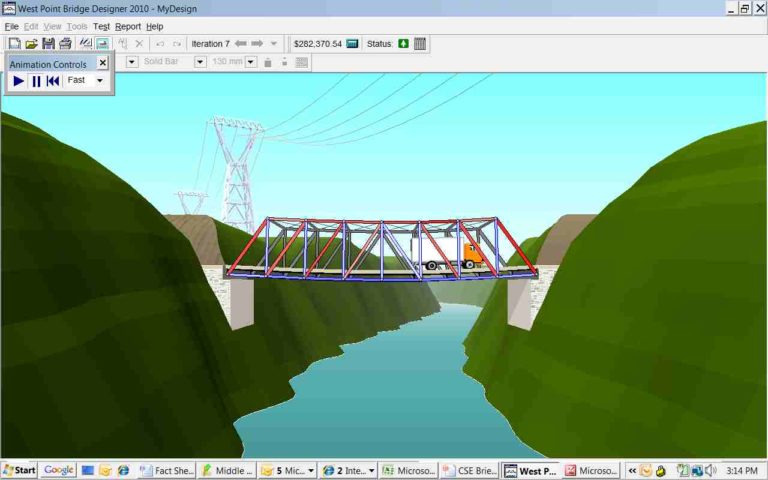
There's a speed/entertainment tradeoff of 3 frames in naming the bridge's designer, so it appears in the bottom-right corner for screenshots. Here is an example of the faster way to dismiss the game's menus.
Mouse input
This game has limited keyboard shortcuts, only for Open, Save, Erase, and I think a couple other buttons. So the mouse is required here, and it can only move 255px in a frame in DOSBox-x. A bk2's Sync Settings use 3.0 mouse sensitivity by default, which means your movements are a 1:3 scale to the real pixel values, in this case from 0–85. This was already too much precision for a game of connecting nodes on a grid.
However, the game's grid spaces are 33px wide, and there are half-spaces between them. So I put 16.5 as the mouse sensitivity and used Analog Mouse Speed, not Position, and now all mouse movements are aligned to the game's grid! I barely have to move it and the number listed is exactly how many grid spaces it'll jump. This removed a lot of overthinking exactly which pixel I should be landing on, and got this TAS out of hibernation. I hope this general trick can be documented somewhere to help other DOSBox-x TASers.
In many cases, you can warp the mouse to a non-adjacent joint and start drawing without having to connect to where you started. I get the mouse in position before the game starts accepting input, but after I draw the first joint, I'm able to avoid moving more than 255px for the rest of the run. Lowering the screen resolution to 640x480 or 800x600 would've pushed clickable objects closer together, but I didn't need to for this branch. Maybe for one with a lot more mouse travel.
At DOSBox-x's default 70 FPS, there's intermittent lag limiting how fast mouse events are read:

This doesn't occur when running the game at 60 FPS, which makes TASing easier as the placement delay for joints and beams is consistent. Once adjusted for this, however, the movie time turns out to be 0.038 second slower overall.
What's in a game? A sim by any other name
I believe this fits TASVideos' definition of a video game. It's audio-visual, interactive, and presents a virtual task. It's easy to build a failing bridge due to insufficient or misplaced members, or an impractical bridge due to overpriced or extraneous members, so there's room to iterate and optimize. It's why national contests were held using the software.
The end point was decided by me: to build a successful bridge in the shortest time, like other fastest-time TASes on the site. Other branches could be minimum or maximum cost, the latter of which I've already tested. Through absurd placement of joints and beams, a bridge costing over $1M can be built in the small space the game provides.
Setup
- No verification movie needed. Follow the Windows 3.11 install instructions, then put the .hdd and this .iso in a Multi-disk bundle XML. BizHawk can do this for you with Tools>Multi-disk Bundler. The iso was made from this installer using TASVideos' official iso_maker for Windows.
- If going by cycle count, Windows boots in about a second, then the software installs in another second. The remaining ~1.5 seconds is spent launching and winning the game itself.
- Besides setup only taking a second, I hesitated to outsource it to a verification movie because this game's shortcut can break after a restart, or under certain conditions when Setup3.exe's Finish button is clicked. I avoid this here by waiting until the frame that Setup succeeds, then using Task Manager to open Program Manager and launch the shortcut from there. This saves a frame (~0.015s) because I didn't have to unhide Program Manager after booting Windows with the
d:Setup3.exeargument. Still, the game's Program Group is already open because setup finished correctly.
- Besides setup only taking a second, I hesitated to outsource it to a verification movie because this game's shortcut can break after a restart, or under certain conditions when Setup3.exe's Finish button is clicked. I avoid this here by waiting until the frame that Setup succeeds, then using Task Manager to open Program Manager and launch the shortcut from there. This saves a frame (~0.015s) because I didn't have to unhide Program Manager after booting Windows with the
- This was the fastest method I found to install the game. Launching
d:Setup3.exefrom DOS through WinFile.exe, using Tab autocomplete and wildcards (as*IL*) was only 0.014s slower. Neither method would be needed if there was a verification movie, though.
Gameplay
- Some intro dialogs are double-cleared with a single Space input, abusing the game being unable to process the next screen quickly enough.
- I chose a Through (above) Truss over a Deck (below) Truss since it keeps the mouse closer to the Load Test button, so I can reach it in a single frame.
- Howe and Pratt are tied for speed, but I think the Howe looks nicer. No Chris Pratt this time.
- To save time from having to click dropdown boxes, I didn't change the default type, thickness or hollowness of the material. By placing joints in specific places, I can succeed with only the default Carbon Steel 120 x 120 mm solid bar.
- Every bridge starts with 7 base joints at road level that can't be modified. All joints must be connected by beams in triangle shapes.
- After placing the joints, I click on the beam tool and draw those next. It can be fastest to start from the top-left joint as the game seems to set it as a default starting point if you don't actually start your beam on a valid spot. This may also be abusing the game still trying to load the graphics at the start.
- It would seem faster to draw a single line across multiple joints, however the game doesn't like this and will complain during the Load Test. Since this complaining happens after the normal input end and requires a click to dismiss, it's faster to draw between only two joints at a time.
- Since the last input is just a click, not a drag, I can end input the frame I reach the Load Test button.
Possible improvements
If a layout was found to only draw 4 joints on the top row (-3fr), it would also save 2 beam placements (-3f and -4f), for an estimated 10 frames saved. In my testing, one of the 120 x 120 carbon beams will always have too long a run and fail the load test, so I used 5 joints.
60 FPS seemed more consistent but led to a longer final time. Maybe using a verification movie or running a different category could give different frame lengths so 60 would be faster than 70.
As a note, emulating with higher cycles (900,000) didn't change gameplay timing, only load times like in Setup and the intro dialogs, where it was actually slower, since the window for the double-clear bug is too short. Load Test calculations are only sped up by ~0.284 second, and that's after the end of input anyway. The 200k cycles that come with the 1999 preset were fine.
Thanks to
- MUGG, Dimon12321, and eien86 for their Windows submissions, which got me reinvested in this project after 5.5 months
- Walgrey for inspiration to TAS my nostalgic games. Now if you'll excuse me, I'm going to go look for Howe Trusses in my area. I saw a Warren Truss on my way home the other day, so I'm sure I'll find a Howe soon! (How was that?)
- BizHawk devs, particularly eien86, for the DOSBox-x core and mouse speed/sensitivity settings
- You, for watching
DrD2k9: Claiming for judging. Judging from encode based on confirmed sync by fsvgm777
DrD2k9: Superhuman clicking/mouse movement sometimes strikes me as more superhuman than mashing a gamepad button every other frame. I know it's not, but the visual just makes it feel that way when things happen as fast as they do in runs like this one.
I agree with the author that this simulation qualifies as a game based on our site definitions. I can't argue against the optimization. As a bonus, the runs seems to have gotten good response from viewers.
Accepting.
r3gamerz: Processing...